




-
 Pick up from the Woodmart Store
-
 Courier delivery
-
 DHL Courier delivery
 Pick up from the Woodmart Store
Courier delivery
DHL Courier delivery
Pick up from the Woodmart Store
Courier delivery
DHL Courier delivery
 Warranty 1 year
 Free 30-Day returns

 If you need any technical support please contact me,
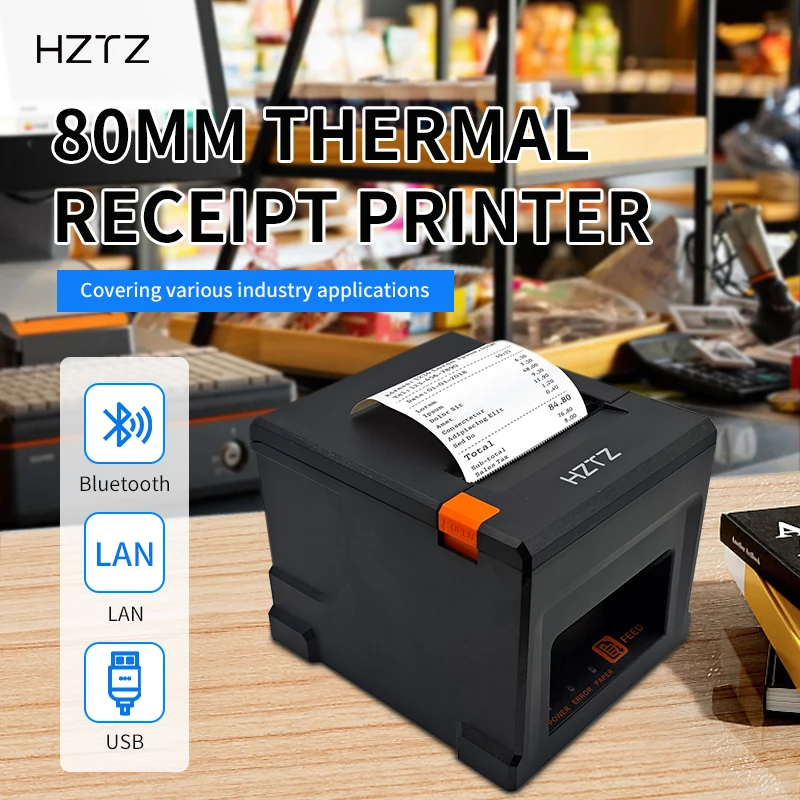
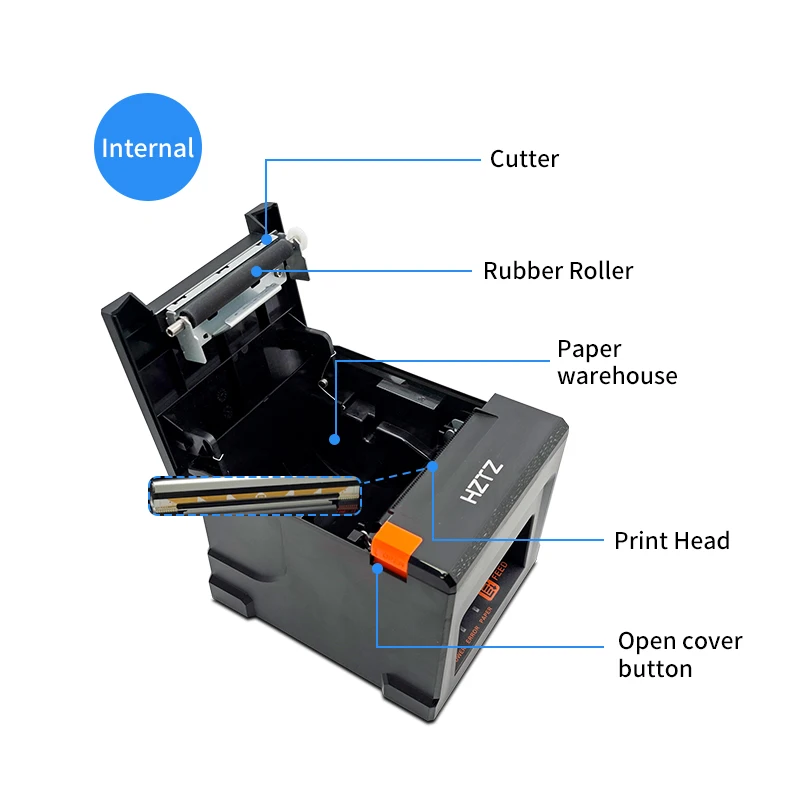
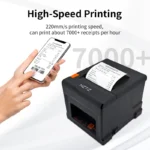
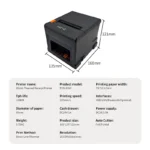
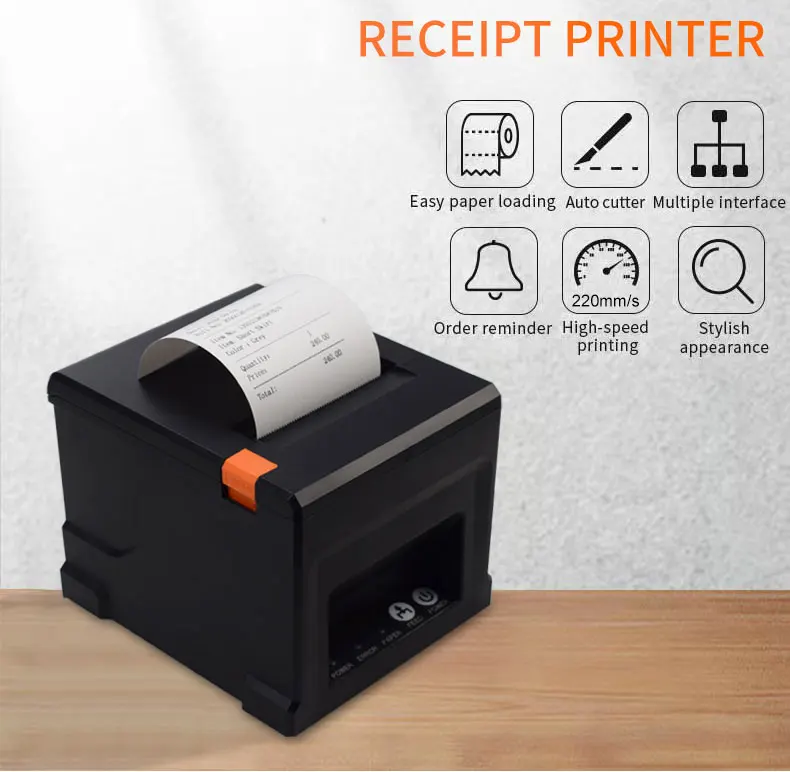
HZTZ HZ-8360 80mm Thermal Receipt Printer Auto cutter Restaurant Kitchen POS Printer
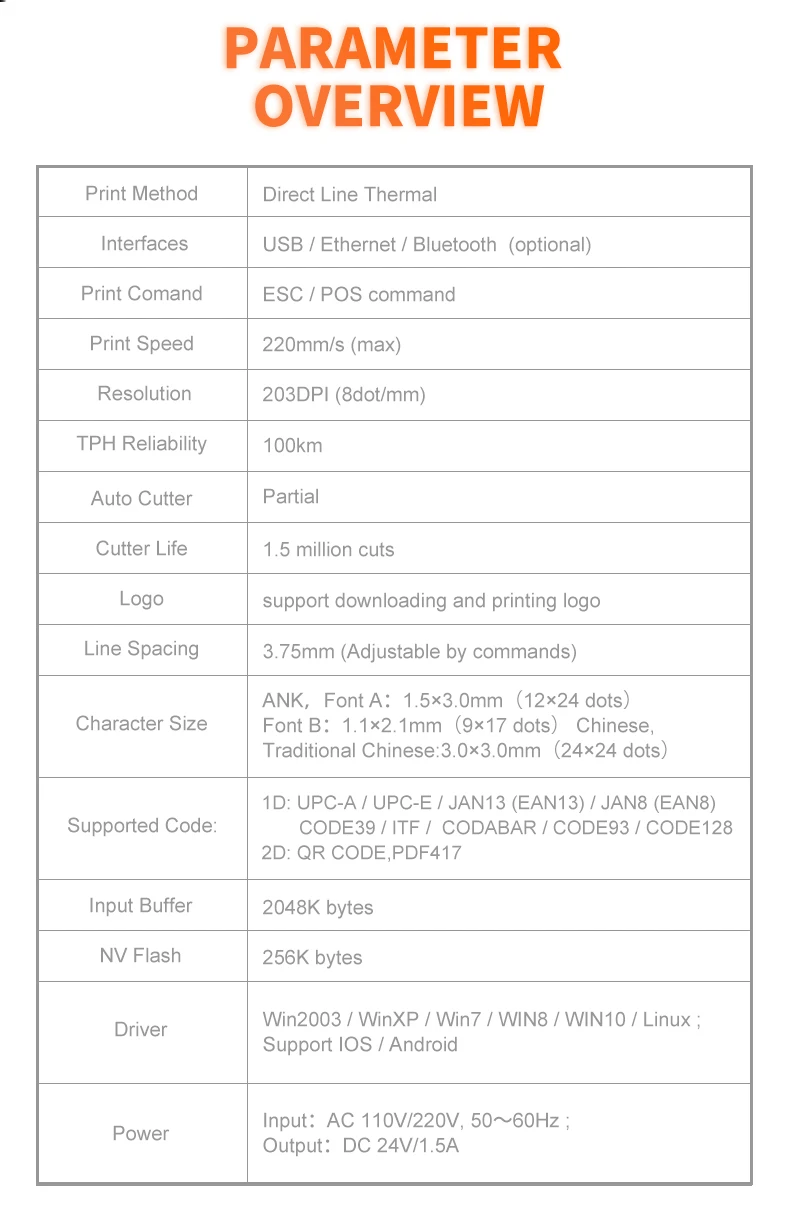
Specifications
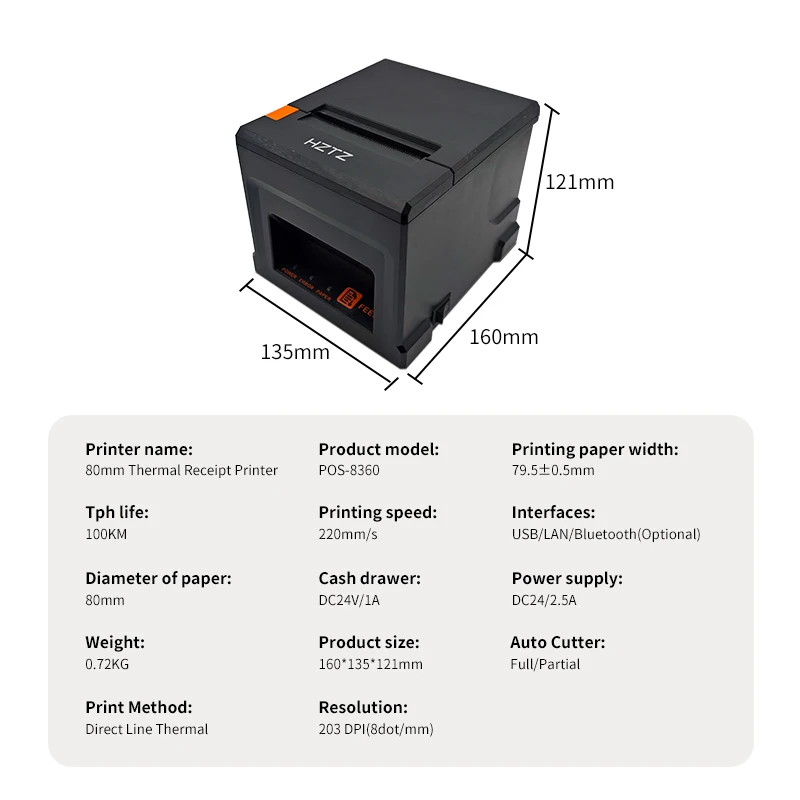
Print Method Direct Line Thermal
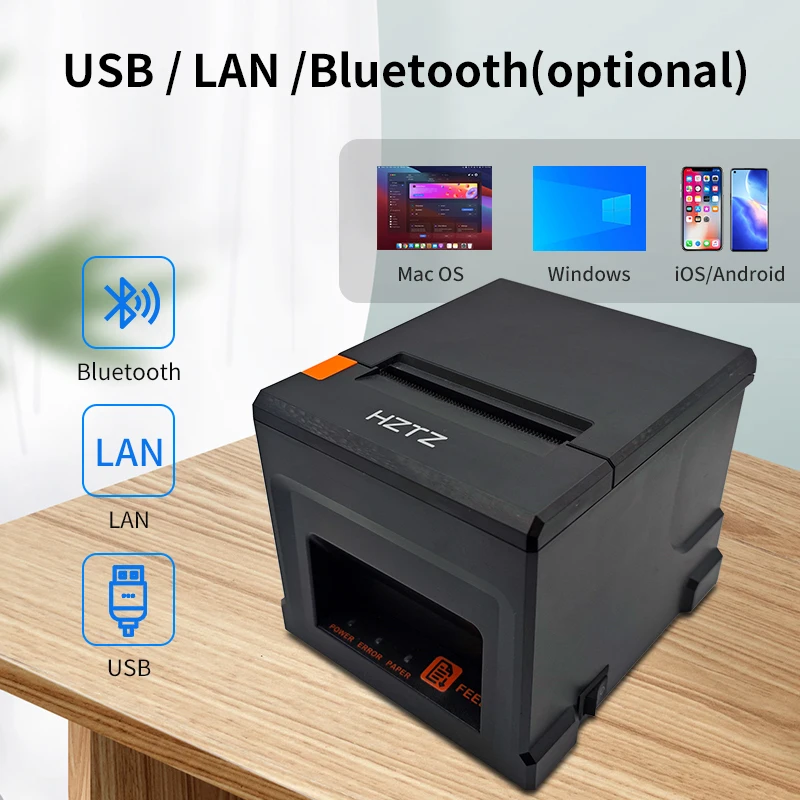
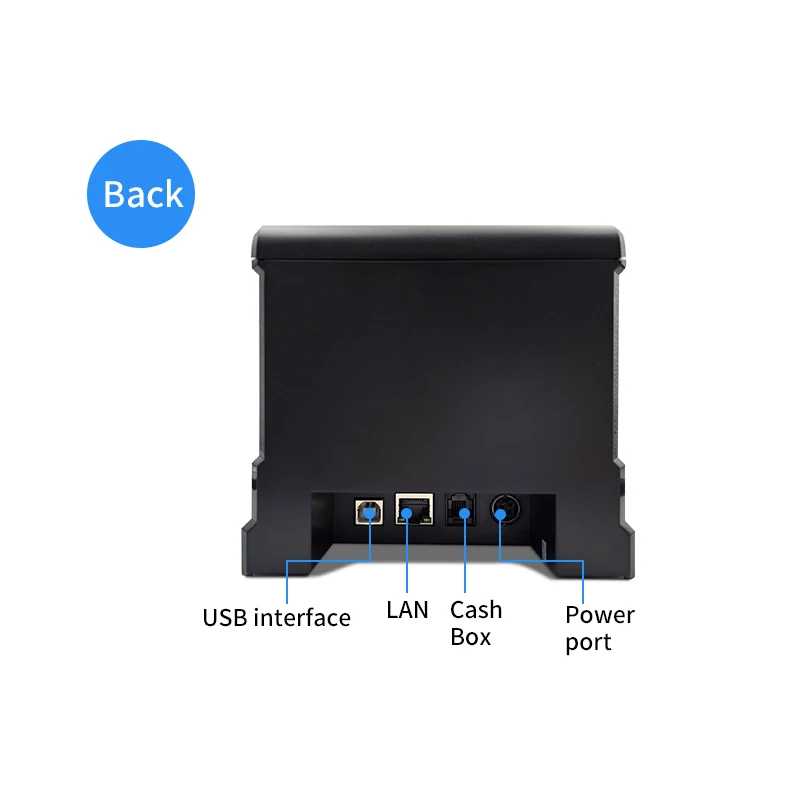
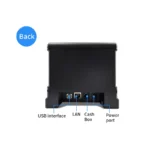
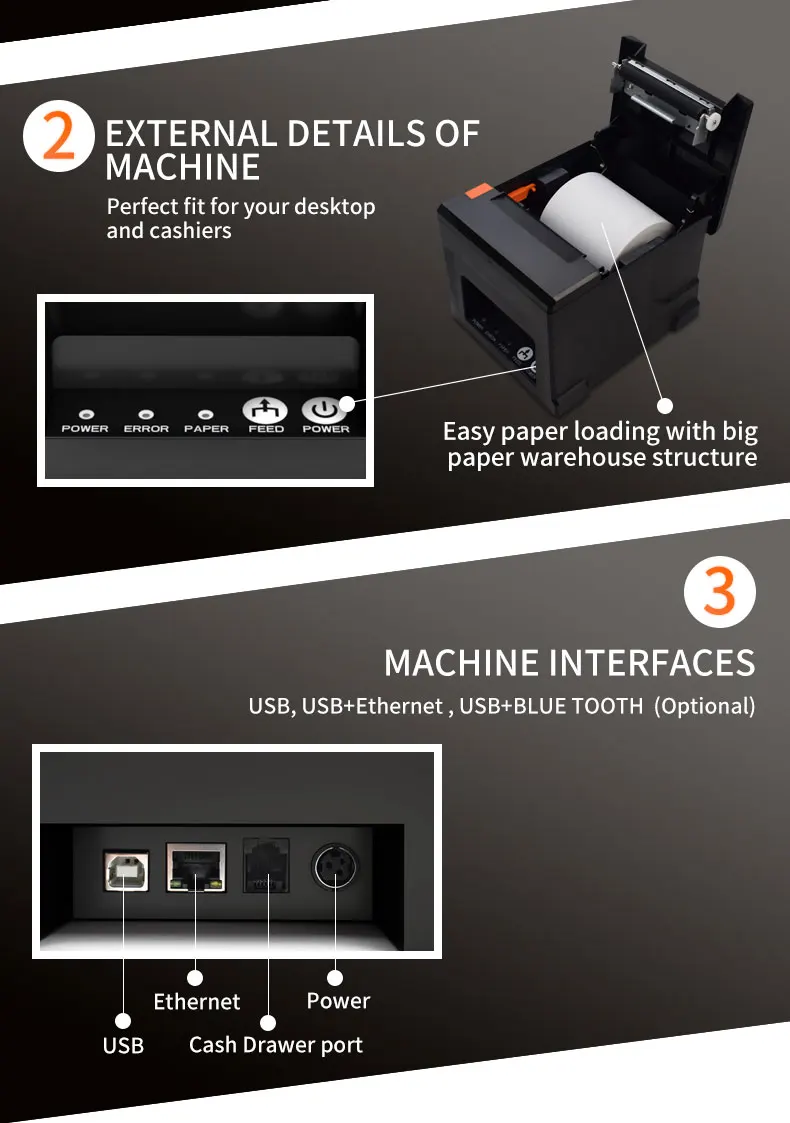
Interfaces USB / LAN / Bluetooth (optional)
Print Comand ESC / POS command
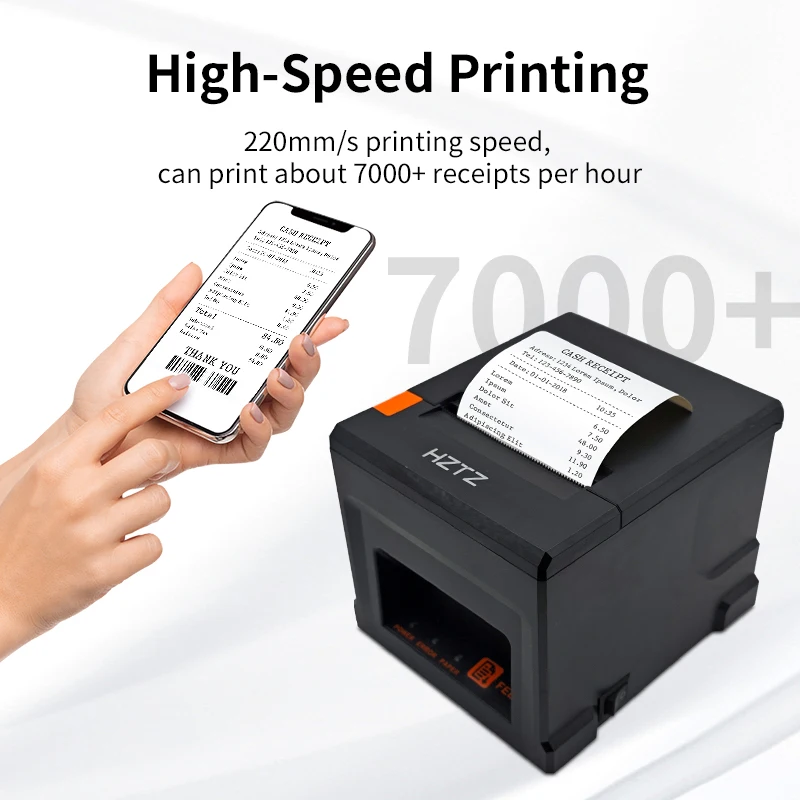
Print Speed 220mm/s
Resolution 203DPI (8dot/mm)
TPH Reliability 100km
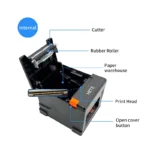
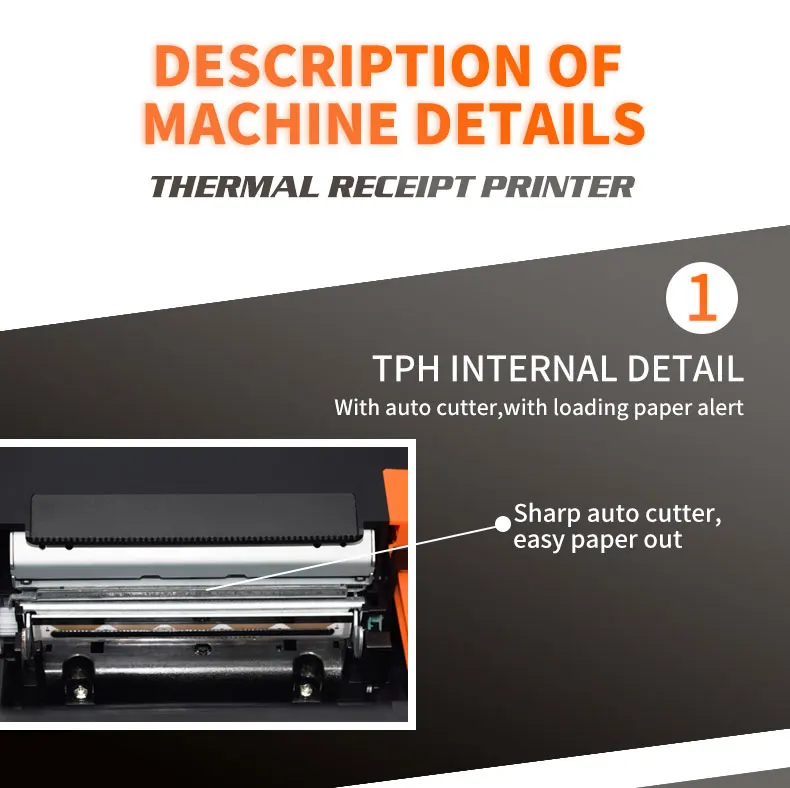
Auto Cutter Partial
Cutter Life 1.5 million cuts
Logo support downloading and printing logo
Line Spacing 3.75mm (Adjustable by commands)
"Extension Character
Sheet" PC437(Standard Europe),Katakana,PC850(Multilingual),PC860(Portuguese),PC863(Canadian),PC865(Nordic),West Europe,Greek,Hebrew,East Europe,Iran,WPC1252,PC866(Cyrillic#2),PC852(Latin2),PC858,IranII,Latvian,Arabic,Thai,PT151(1251)
Character Size ANK,Font A:1.5×3.0mm(12×24 dots) Font B:1.1×2.1mm(9×17 dots) Chinese, Traditional Chinese:3.0×3.0mm(24×24 dots)
Supported Code: "1D: UPC-A / UPC-E / JAN13 (EAN13) / JAN8 (EAN8) / CODE39 / ITF / CODABAR /
CODE93 / CODE128
2D: QR CODE,PDF417"
Input Buffer 2048K bytes
NV Flash 256K bytes
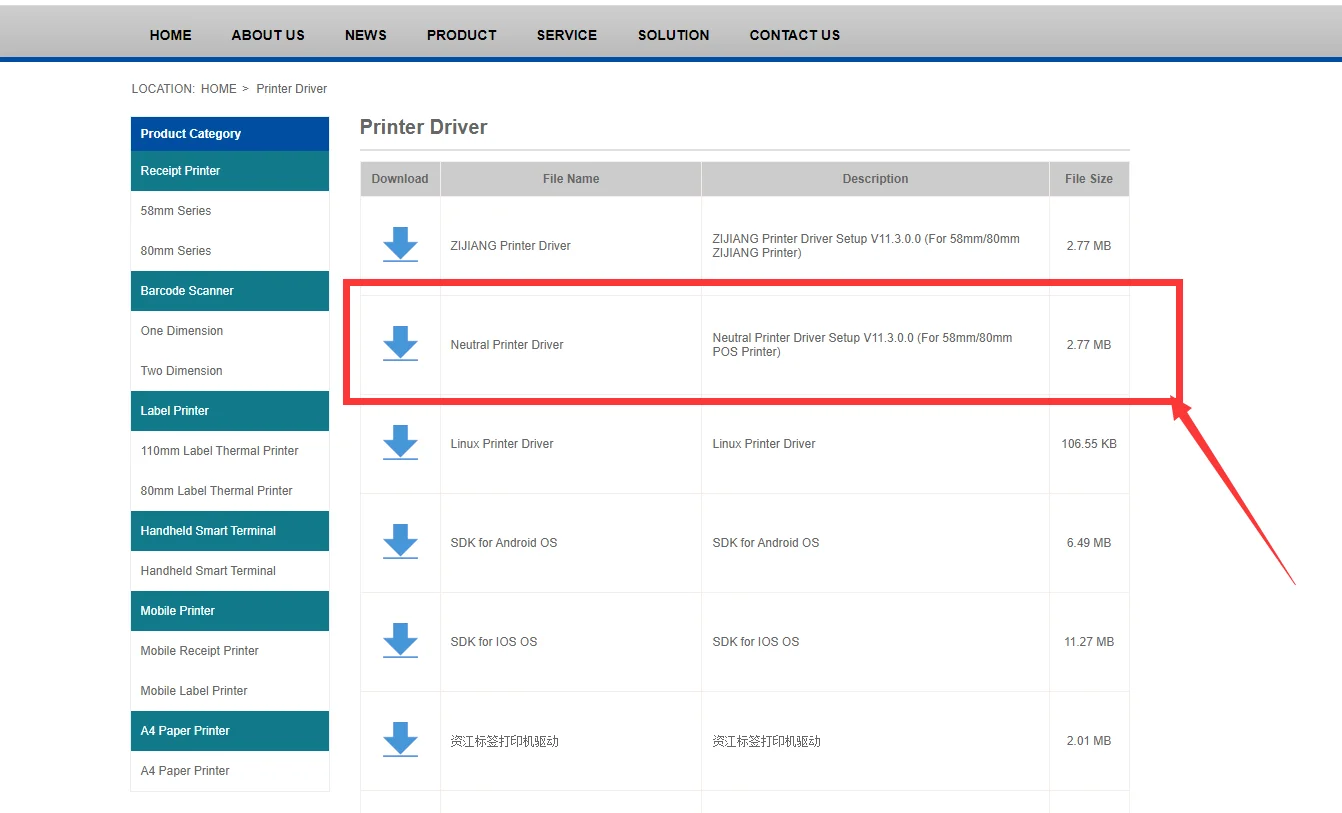
Driver Win2003 / WinXP / Win7 / WIN8 / WIN10 / Linux ; Support IOS / Android
Power Input:AC 110V/220V, 50~60Hz ; Output:DC 24V/2.5A
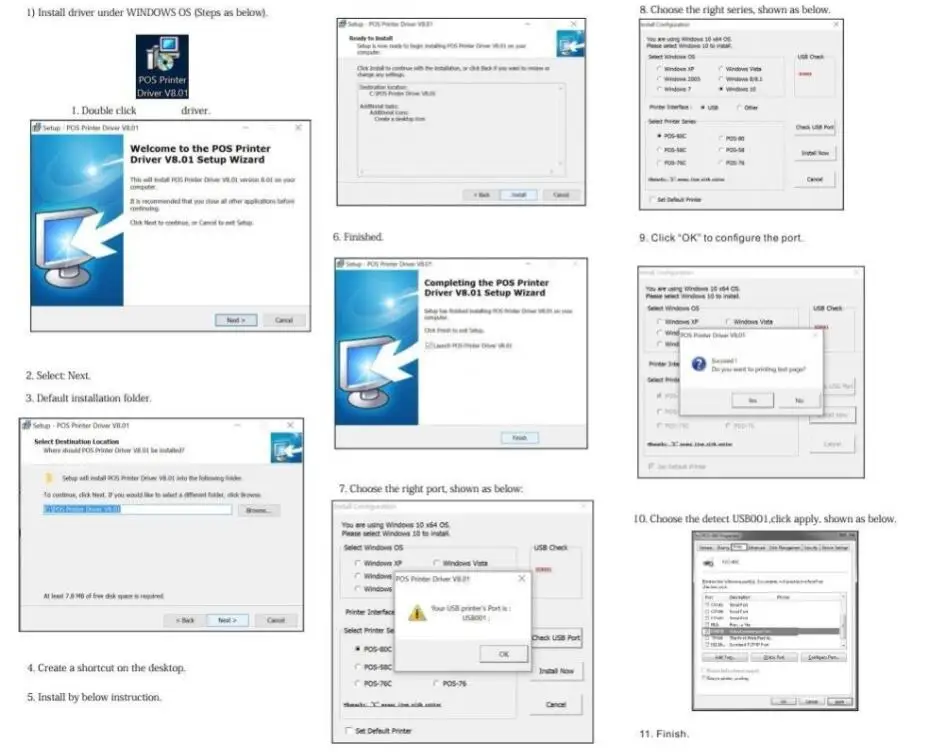
How to install printer driver?
1. Insert power cable into thermal printer.
2. Connect the printer with windows PC via USB cable.
3. Place thermal paper into printer.
4. Install printer driver by following the User Manual along with package.
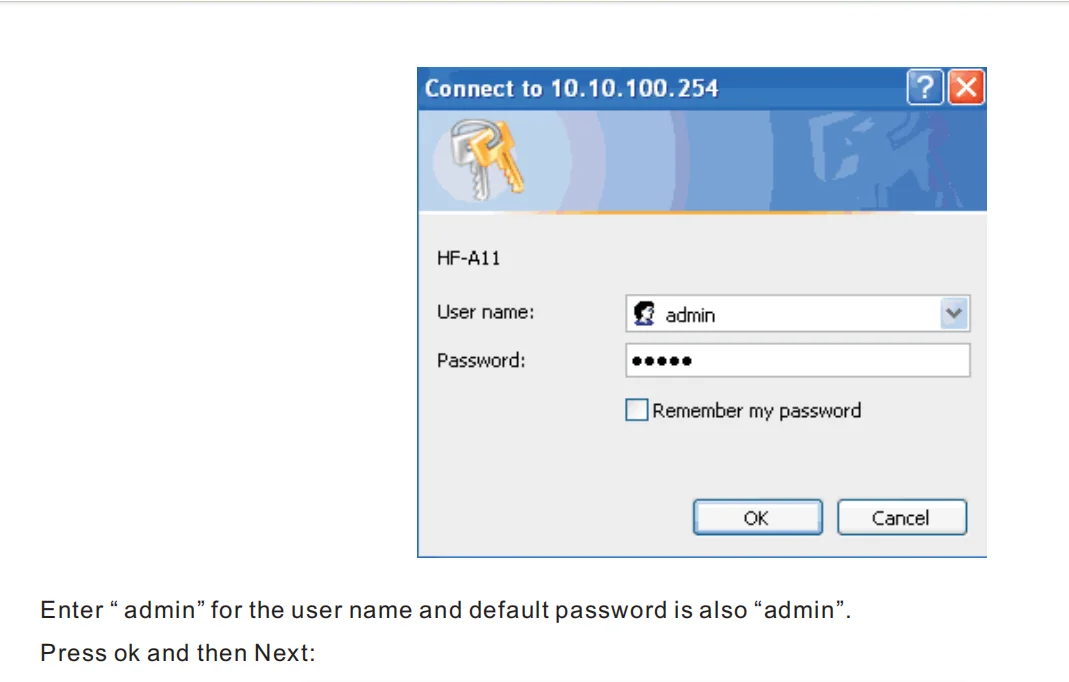
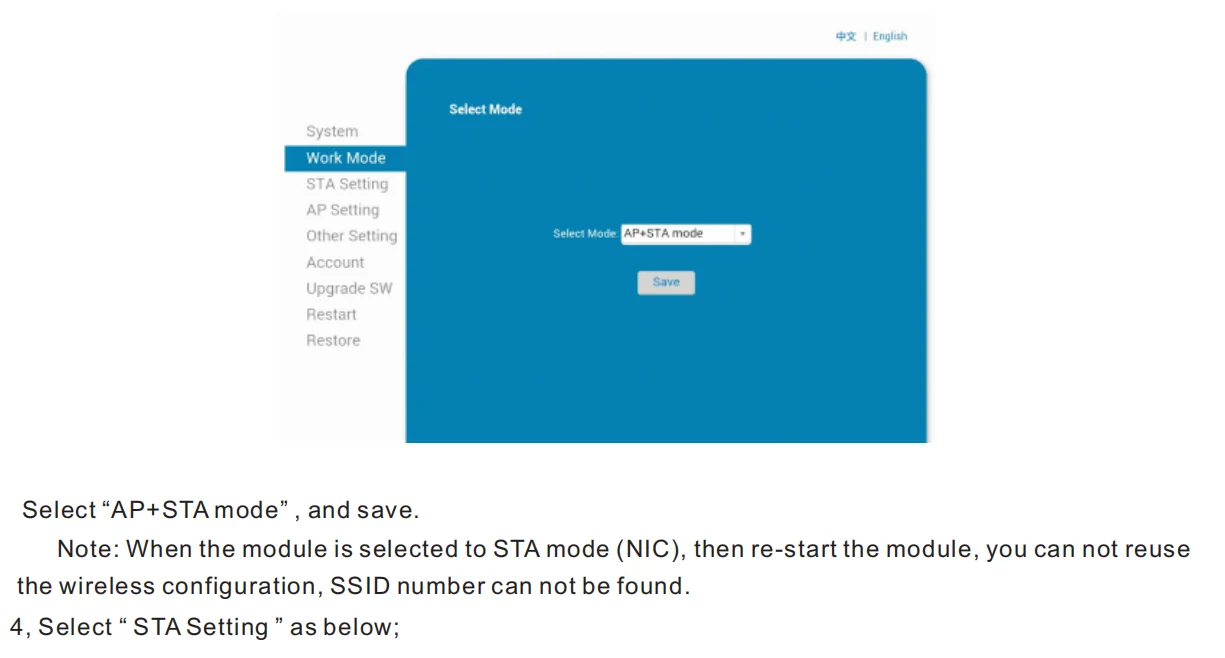
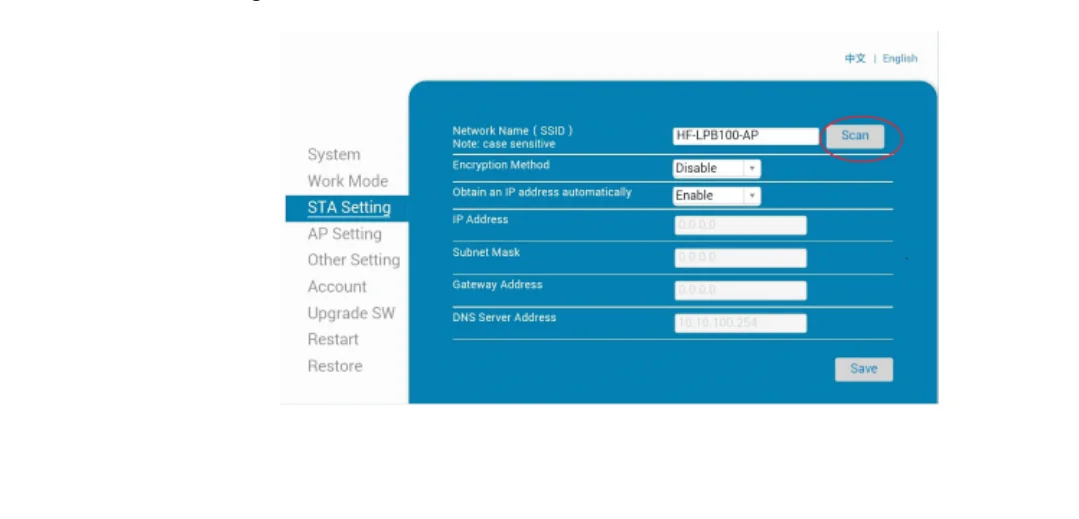
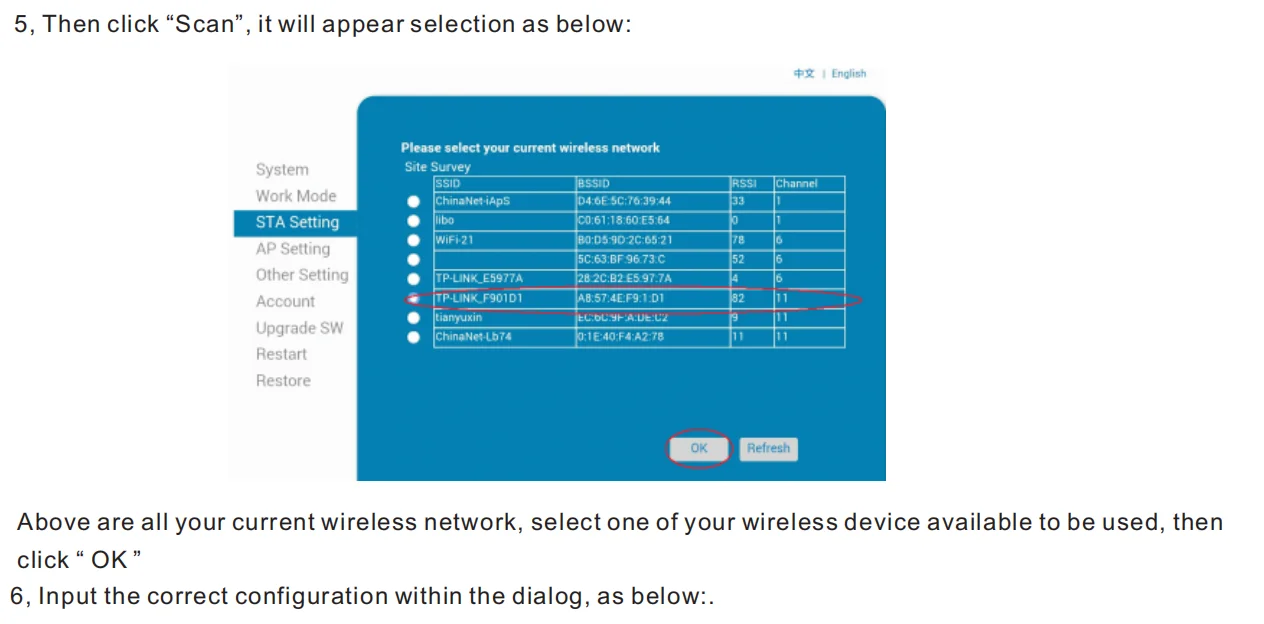
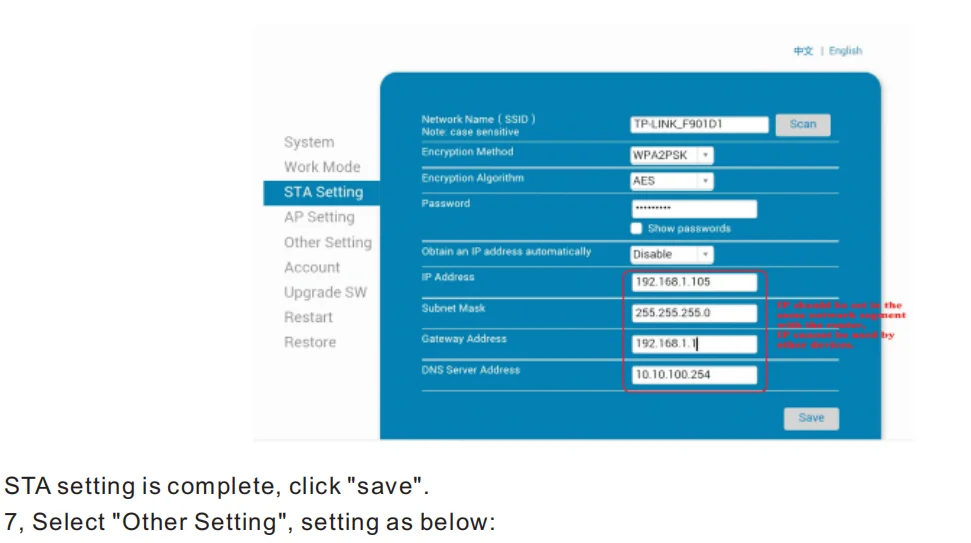
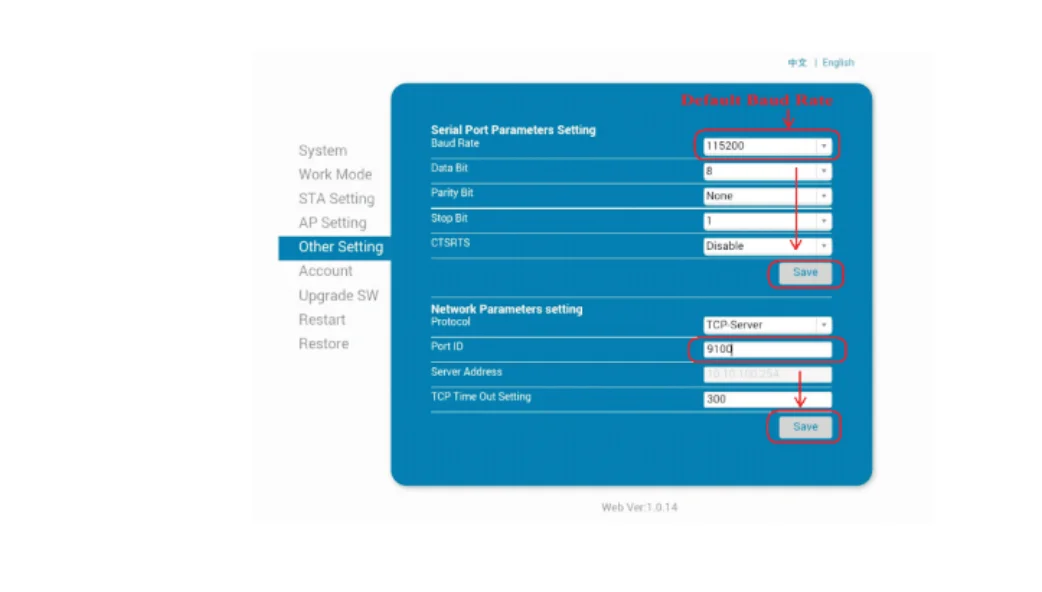
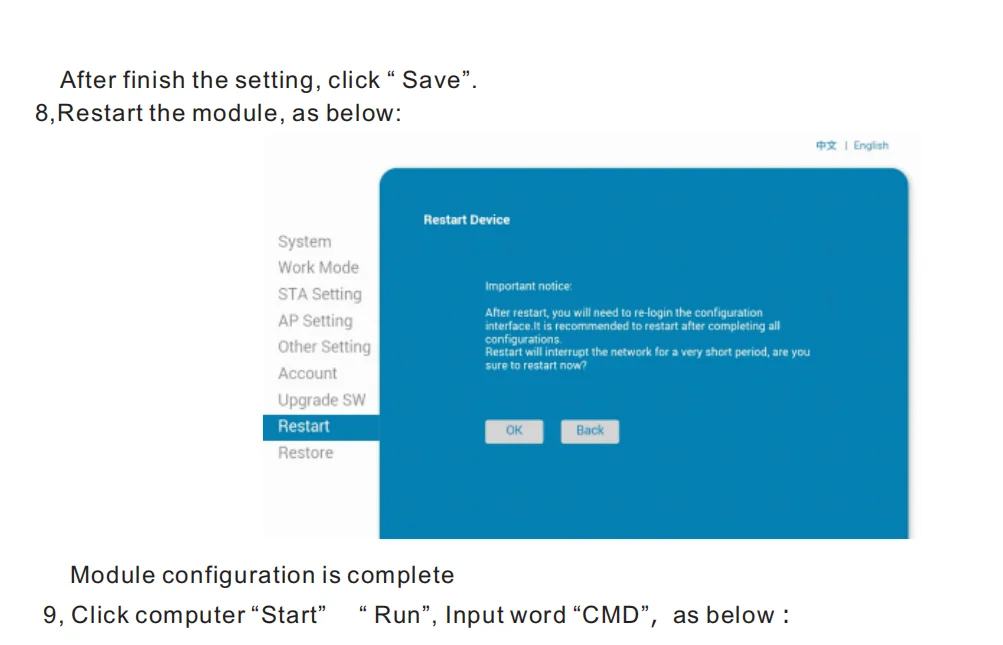
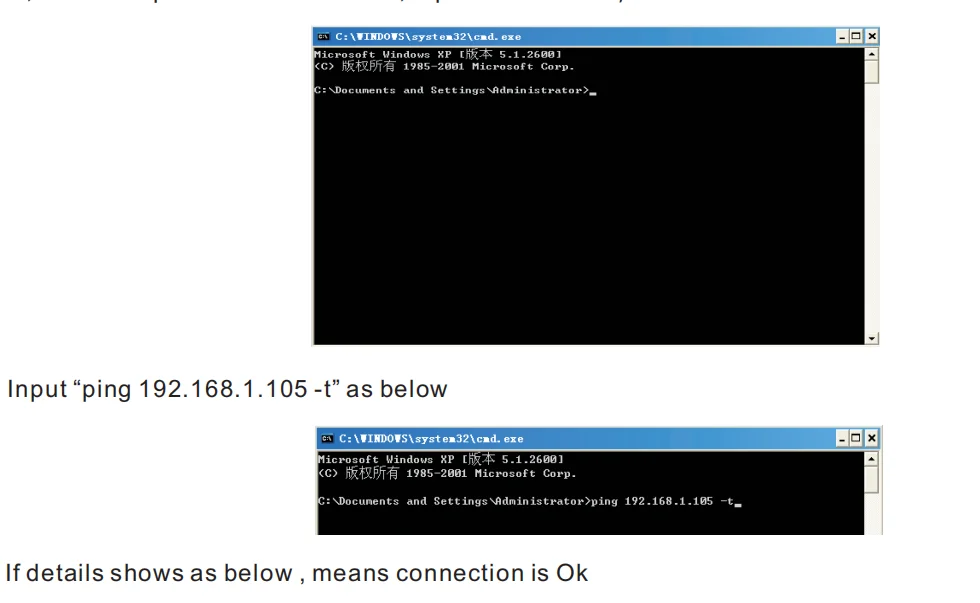
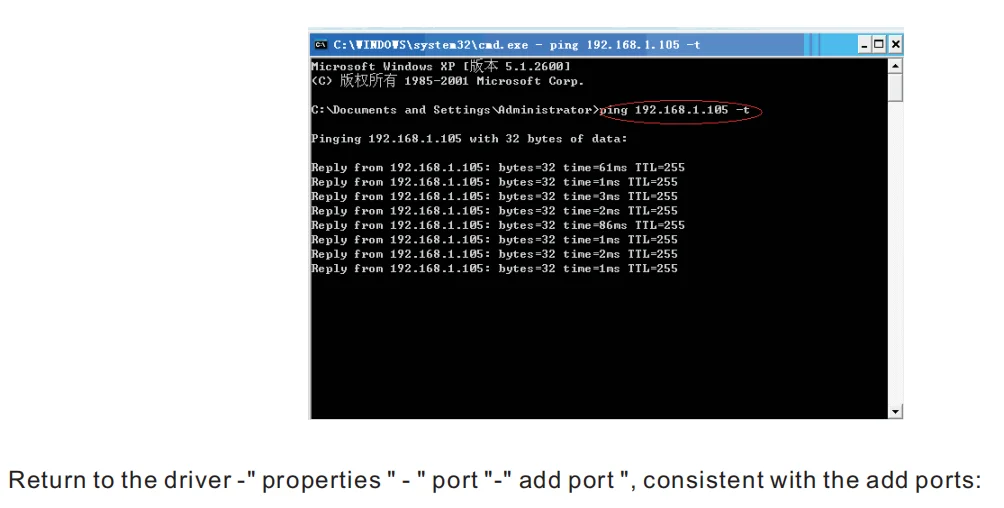
how to connect to MAC
Setting Guide:
Setting Guide:
How to connect printer with cash drawer?
1. Connect the cash drawer with printer through RJ11/RJ12 cable.
2. Install printer driver and set cash drawer from 【Printer Properties】.
3. Set 【Open cash drawer before printing from 【Device Settings】.
How to connect the 80MM printer with your software?
1. Please install the printer first in your windows PC.
2. Set the printer from your software "Printer Settings".
3. If you don’t know where to add printer in your software, please consult with software supplier for guide.
 Overview
 Processor
 Display
 RAM
RAM
 Storage
 Video Card
 Connectivity
 Features
 Battery
 General
Out of stock
No account yet?
Create an Account